


An economic news website needs to make complex topics easy to understand. Readers may visit your site for central bank updates, inflation news, business stories, stock market movements, global trade, housing reports, crypto, commodities, or government policies that affect everyday life.
A basic blog theme may not be enough for this type of website. Economic topics often connect with each other. An interest rate decision can affect the stock market. A trade policy can affect businesses. A housing update can affect homeowners, banks, and investors.
If you are looking for an economic news WordPress theme, EconomicNews can give you a better starting point. It is an economic news demo for JNews built for publishers who cover the economy, business, finance, markets, policy, banking, trade, real estate, technology, startups, and venture capital.
Why an Economic News Website Needs a Specialized Layout
An economic news website does more than publish articles. Many readers use it to keep up with money, markets, businesses, government policy, and the wider economy.
Some visitors may want to check the latest inflation numbers. Others may come for stock market news, banking stories, startup funding, oil prices, currency movements, or government policies.
Putting all of these stories into one basic article feed can make the homepage difficult to scan.
A good economic news layout should make it easy to:
- Show the most important economic story first
- Separate economy, markets, finance, policy, and business news
- Highlight important updates and editor-selected stories
- Help returning readers find new stories quickly
- Collect newsletter subscribers
- Guide readers to related topics
- Keep headlines, charts, lists, and article previews readable on mobile
EconomicNews already organizes economic and financial content into different sections. Instead of building your homepage from scratch, you can start with a layout made for business and economic publishing.
What to Look for in an Economic News WordPress Theme
Don’t choose an economic news theme only because it looks clean. An economic or finance publication also needs clear navigation, organized content, and a layout that helps readers understand which stories matter most.
Clear Economy and Finance Categories
Economic news readers often visit a website with a specific topic in mind.
One reader may want central bank news. Another may follow global trade. Others may look for stock market updates, banking news, crypto, commodities, real estate, or business stories.
Your theme should make these topics easy to find from the main menu and homepage.
The EconomicNews demo includes categories such as Business, Economy, Finance, Global, Markets, Policy, Real Estate, Technology, Startup, and Venture Capital.
Clear categories make a big difference because economic news can become confusing when every article appears in the same place. Good organization helps readers go directly to the topics they want.
A Good Lead Story Area
Not every economic story needs the same level of attention.
A central bank decision, inflation report, trade policy, tax plan, market rally, banking issue, or major energy price change may be more important than a regular company update.
Your theme should give you a featured area for the biggest story of the day.
This helps readers immediately see which topic deserves the most attention when they arrive on your homepage.
Top Stories and Latest Briefing Sections
Economic news readers often want to know two things: what matters most and what just happened.
Sections such as Top Economy Stories and Latest Briefing can help with both.
You can use Top Economy Stories for important articles that deserve extra attention. Latest Briefing can show your newest updates so returning readers can quickly see what changed.
This works well for economic news because several stories may connect to the same larger issue. A central bank decision, currency movement, manufacturing report, and retail sales update may all tell part of the same story.
Editor Picks for Deeper Context
Economic news is not only about publishing updates quickly. The readers also need context.
An Editor’s Picks section can highlight explainers, analysis, business stories, policy articles, or longer reports that deserve more attention.
You could use this section for topics such as housing prices, startup funding, tax policy, oil prices, layoffs, or manufacturing trends.
These stories may not be breaking news, but they can help readers understand why something is happening and what it means.
Newsletter Support
Newsletters work well for economic websites because many readers want regular updates.
They may not visit your homepage several times a day, but they may read a morning briefing before work or a weekly market recap.
The EconomicNews demo includes newsletter areas on both the homepage and footer.
You can change the demo text to match what your publication actually sends.
For example:
- A daily economy briefing
- Weekly market and policy updates
- Morning business headlines
- Startup and venture capital updates
- Inflation, interest rate, and banking news
- Real estate and consumer economy highlights
Try to tell readers exactly what they will receive instead of using a general message such as “Subscribe to our newsletter.”
A clear benefit gives readers a better reason to subscribe.
Mobile-Friendly Reading
Many readers check economic news on their phones. They may open an article from Google, social media, email, messaging apps, or a market update during the workday.
Your theme should keep menus easy to use, headlines readable, article lists clear, newsletter forms simple, and categories easy to browse on smaller screens.
JNews is built for news, blog, and magazine websites. The features include publishing tools, mobile-focused layouts, SEO features, monetization options, performance tools, and visual layout builders.
These features give economic publishers more flexibility than a basic blogging theme.
EconomicNews: A JNews Demo for Economy and Finance Publishers
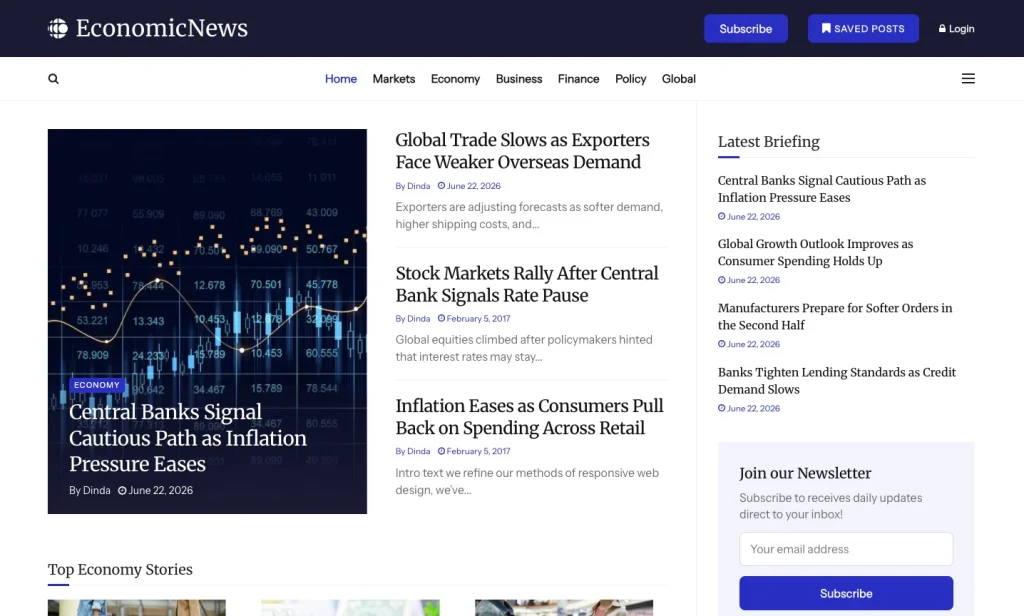
EconomicNews is an economy-focused demo from JNews.
The homepage includes featured stories, Top Economy Stories, Latest Briefing, newsletter signup, Editor’s Picks, Global Trade & Policy, Startup & Venture Capital, recent posts, categories, and footer navigation.
This layout works well for publishers who want an economic news website that feels organized and easy to browse.
This demo can work especially well if your website covers:
- Macroeconomic updates
- Central bank and inflation news
- Stock market and commodities
- Banking and finance
- Business and industry
- Global trade and government policy
- Real estate and housing markets
- Technology businesses
- Startups and venture capital
- Daily or weekly economy newsletters
Economic websites often cover many connected topics, so content can quickly become scattered.
Markets, banking, trade, policy, real estate, startups, and technology all need their own space.
EconomicNews gives these topics separate sections on the homepage. This can make your website feel more like a complete economic publication instead of a general blog with a few business categories.
What Is Included in the EconomicNews Demo
EconomicNews gives you a ready-made homepage for an economy-focused publication. You can replace the demo articles with your own content while keeping the layout as your starting point.
Header With Business and Market Navigation
The top navigation makes important topics easy to find.
The demo menu includes:
- Home
- Business
- Economy
- Finance
- Global
- Markets
- Policy
- Real Estate
- Technology
It also includes submenu topics such as Industry, Banking, Commodities, Crypto, Trade, Startup, and Venture Capital.
This type of navigation works well because economic news readers often browse by topic.
Someone interested in interest rates and lending may open Finance or Banking. A reader following government decisions may choose Policy or Trade. Someone interested in investments may visit Markets, Commodities, or Crypto.
You don’t need to keep the same categories as the demo.
For example, your website could use Economy, Markets, Policy, Companies, Banking, Real Estate, Energy, Startups, Opinion, and Analysis. Choose categories that match the topics you actually cover.
Featured Economy Stories
The EconomicNews homepage starts with several prominent stories. The demo covers topics such as central bank policy, global trade, stock markets, inflation, technology investment, oil prices, manufacturing, and crypto regulation.
This section works well for economic news because you usually need one clear main story.
You could use the featured area for:
- A major central bank announcement
- An inflation or employment report
- A market-moving business story
- A currency or commodity update
- A government budget or tax plan
- A global trade development
- A banking or credit market story
Top Economy Stories
The demo includes a Top Economy Stories section near the top of the homepage.
You can use this area for important articles that deserve extra visibility but don’t need to become the main featured story.
The demo uses this section for topics such as global growth, currency movements, and retail sales.
On your own website, you could feature:
- Consumer spending updates
- Currency market movements
- Employment and wage reports
- Retail sales data
- Inflation trend explainers
- Global growth forecasts
This gives readers a quick overview of the economy without making them search through your entire website.
Latest Briefing
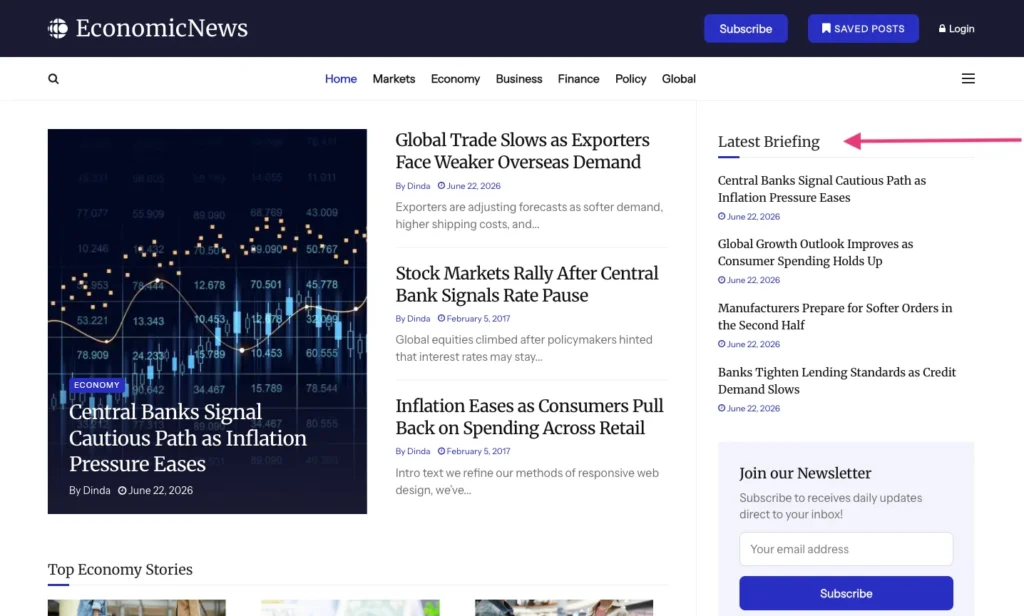
EconomicNews also includes a Latest Briefing section.
This section works well for economic and finance websites because readers often return to see what changed since their last visit.
You can use it for:
- New economic data
- Company or industry updates
- Market open or market close summaries
- Banking and credit news
- Government policy announcements
- Short daily briefing articles
A section like this can keep your homepage feeling fresh even when the main featured story stays in place for longer.
Newsletter Signup
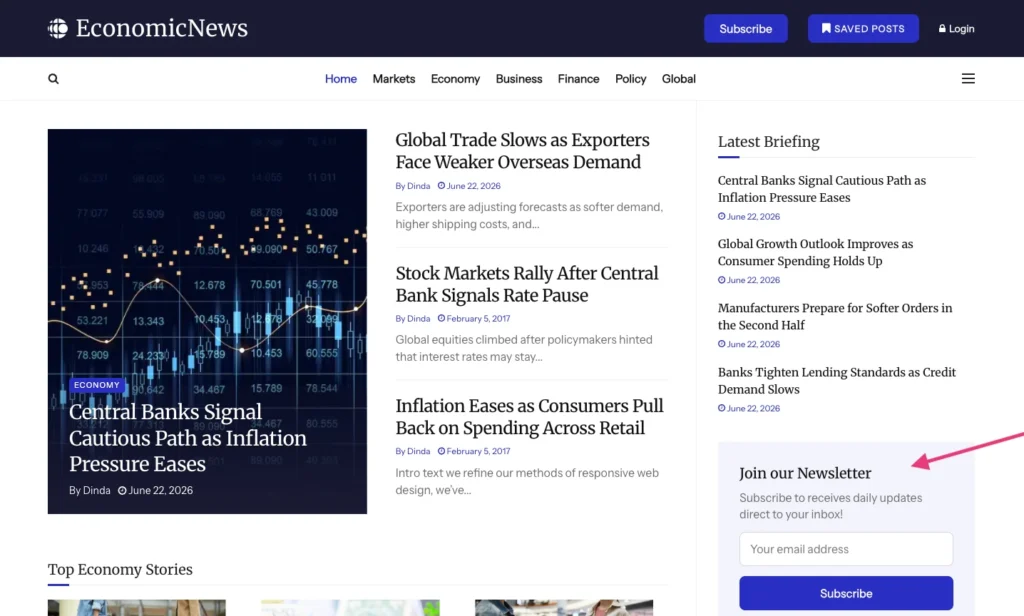
This demo includes newsletter signup areas on the homepage and footer. It can be useful because many economy readers want information on a regular schedule.
Some may want a morning summary. Others may prefer a weekly recap or a market-focused newsletter.
You can make the newsletter section more useful by telling readers exactly what they will receive.
For example:
- “Get the daily economy briefing every morning”
- “Receive weekly market, policy, and business updates”
- “Follow inflation, rates, banking, and trade in one email”
A clear message can give visitors a better reason to subscribe.
Editor’s Picks
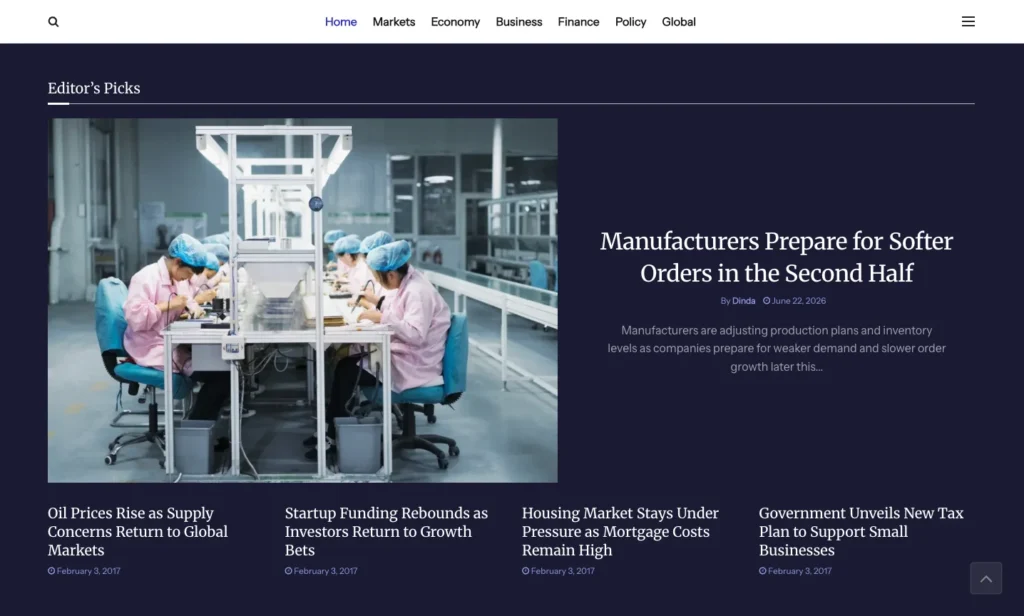
EconomicNews includes an Editor’s Picks section for selected stories.
You can use this area for articles that need more explanation than a short news update.
For example:
- Analysis
- Explainers
- Long-form business stories
- Government policy coverage
- Housing reports
- Energy stories
- Startup funding news
The demo uses this section for topics such as manufacturing orders, oil prices, startup funding, housing pressure, and tax plans.
Combining daily updates with deeper stories gives readers both fresh news and useful context.
Global Trade and Policy
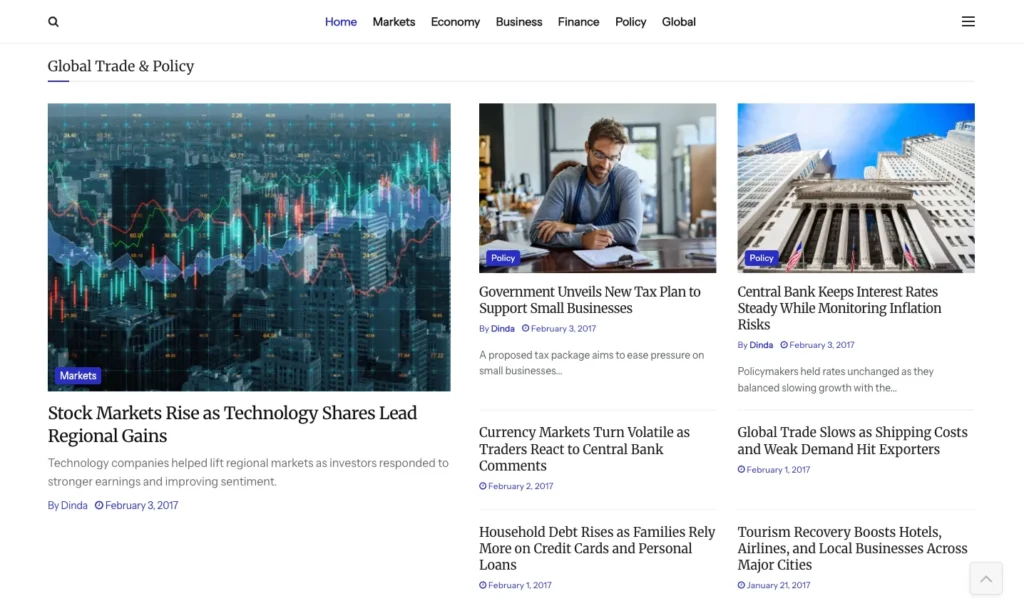
The demo also includes a Global Trade & Policy section.
This is useful because trade and government policy often affect other parts of the economy.
Higher shipping costs can affect exporters. A new tax policy can affect businesses. A central bank decision can change loan costs, currency values, and investor behavior.
You can use this section for:
- Trade and export updates
- Government policy announcements
- Budget news
- Tax and regulation updates
- Central bank decisions
- Currency movements
- Tourism, logistics, or industry news
Keeping these stories together helps readers understand how government decisions and global events affect businesses and the wider economy.
Startup and Venture Capital
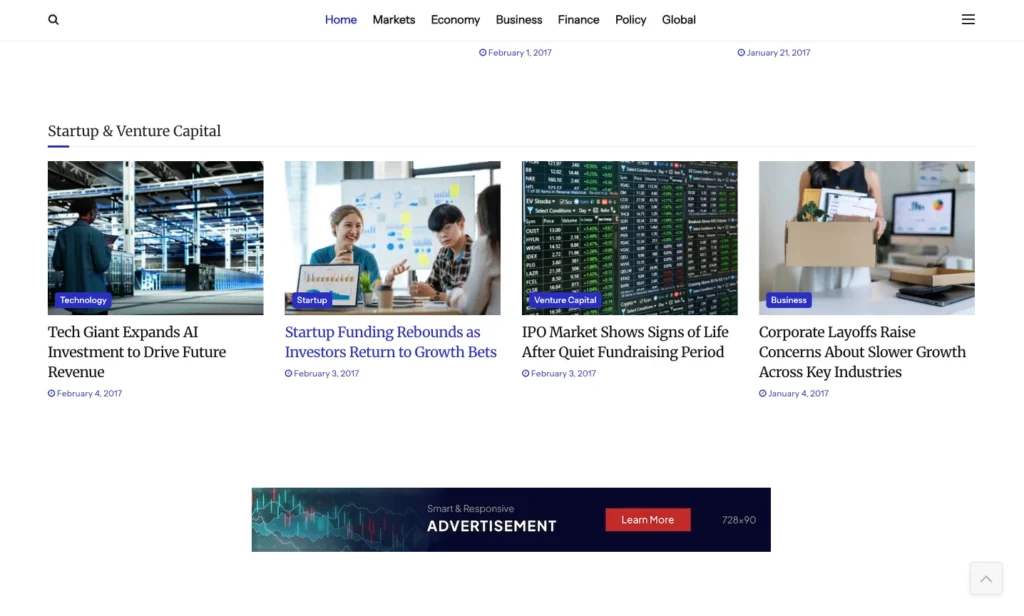
EconomicNews also includes a Startup & Venture Capital section.
This can work well if your publication covers funding rounds, technology investment, IPOs, layoffs, innovation, or investor activity.
Startup news also fits naturally beside broader economic coverage because it shows how companies react to market conditions.
You could use this section for:
- Startup funding announcements
- IPO updates
- Venture capital trends
- Technology investments
- Founder interviews
- Growth-stage companies
- Hiring and layoff reports
This lets you serve both readers who follow the wider economy and readers who focus more on companies and startups.
More Stories, Recent Posts, and Footer Categories
Near the bottom of the homepage, EconomicNews continues with more stories, recent posts, categories, and another newsletter area.
The footer includes categories such as Banking, Business, Commodities, Crypto, Economy, Finance, Global, Industry, Markets, Policy, Real Estate, Startup, Technology, Trade, and Venture Capital.
This gives readers more ways to continue browsing after they reach the bottom of the page.
You can also use the footer for important trust pages, such as:
- About Us
- Contact
- Editorial Policy
- Corrections Policy
- Advertising Information
- Privacy Policy
- Terms of Use
These pages are especially useful for economic and finance publications because readers may use your content to understand financial decisions, businesses, markets, or public policy.
Who Can Use EconomicNews?
EconomicNews works well for publishers who want to build a complete economy or finance publication instead of a simple business blog.
You can use the demo for:
- Economic news websites
- Finance publications
- Business magazines
- Stock market news websites
- Banking and fintech publications
- Global trade and policy websites
- Real estate market publications
- Startup and venture capital blogs
- Investment education websites
- Agencies building finance websites for clients
The demo can be especially useful when your website covers several related topics.
If you only publish one narrow type of content, such as personal budgeting tips, you may not need this many homepage sections.
But if you plan to cover the economy, markets, business, finance, policy, real estate, startups, and newsletters, EconomicNews gives you a more organized place to start.
How to Install the EconomicNEws Demo
After you install JNews, you can import the EconomicNews demo directly from the JNews dashboard.
Before you start, make sure your website meets the JNews server requirements. You should also activate the required plugins and create a backup, especially if you are importing the demo into an existing website.
If you haven’t purchased the theme yet, you can get it from the official JNews site or the ThemeForest Page.
Follow these steps to import Techra:
- Install and activate the JNews theme.
- Install and activate the required JNews plugins.
- Go to JNews Dashboard > Import Demo & Style.
- Find the EconomicNews demo.
- Choose the import option that fits your website.
- Start the import and keep the browser tab open until the process finishes.
- Replace the demo content with your own articles, categories, logo, images, ads, newsletter text, and links.
Before importing, you can also check the official JNews documentation for more details.
How to Improve Your Economic News Website After Importing The Demo
The demo gives you a starting layout, but you still need to adjust it around your own content and audience.
Make the Categories Match Your Coverage
Don’t keep every demo category just because it is already there. Choose categories based on the topics you actually plan to publish.
For example, a finance website may use Markets, Banking, Real Estate, Crypto, and Investing. An economic publication may use Economy, Policy, Trade, Inflation, Energy, and Global.
Create a Strong Daily Briefing Flow
Many readers want to see the most important updates quickly before opening individual articles. Use the featured area for your biggest story of the day.
Then use sections such as Top Economy Stories, Latest Briefing, and Editor’s Picks for other important updates. This helps readers move through your homepage without feeling overwhelmed.
Add Trust Pages Before Publishing
Trust is important for every news website, especially when you publish economic or financial content. Readers should know who runs the website and how you handle your content.
Add pages such as About Us, Contact, Editorial Policy, and Corrections Policy. You can also explain how you label sponsored content and whether your articles provide general information rather than personal financial advice.
Make Newsletter Copy More Specific
EconomicNews already includes newsletter sections, but you should change the text to match what you actually send to subscribers.
Instead of using a general message like “Join our newsletter,” explain the benefit clearly. For example, you could offer a daily economy briefing, weekly market updates, or regular inflation and banking news.
Review Mobile Sections Carefully
Many readers will check your economic news website from their phones. Make sure the homepage is still easy to browse on a smaller screen.
Check your headlines, menus, category labels, article lists, and newsletter forms. Keep everything readable and make sure the navigation doesn’t feel too much.
Ready to Build Your Economic News Website?
A good economic news website should make it easy for readers to follow important updates across the economy, finance, markets, business, policy, and other related topics. Clear categories, featured stories, latest updates, editor picks, and newsletter areas can help readers find the information they need more quickly.
EconomicNews gives you a ready-made economic news layout inside JNews. It includes sections for featured stories, Top Economy Stories, Latest Briefing, Editor’s Picks, Global Trade & Policy, Startup & Venture Capital, newsletters, recent posts, and category-based browsing.
If you want to build an economic news website in WordPress without starting from an empty layout, EconomicNews gives you a practical starting point. You can import the demo, replace the sample content with your own stories, adjust the categories, and customize the homepage around the topics your readers follow.
You can also explore other JNews prebuilt websites or compare plans on the JNews pricing page.