
WordPress Theme for News Website
A news website needs more than a layout for publishing articles.
Once you start publishing several stories across different topics, you need to think about how readers will find important news, browse categories, discover related stories, and keep up with new updates.
And the right News WordPress theme can make that easier.
This can help you organize a growing number of articles, highlight important stories, build clear category pages, and give readers more ways to explore your website.
But what should you actually look for before choosing one?
This guide covers what a news website needs, the features worth considering, and how JNews can help you build different types of news websites with WordPress.
Table of Contents
01Getting Started
02What Does a News Website Need?
03How to Choose a News WordPress Theme
04Key Features to Look for in a News WordPress Theme
05Build a News Website With JNews
06Choose a JNews Demo to Get Started
07FAQ
08Conclusion
01. Getting Started
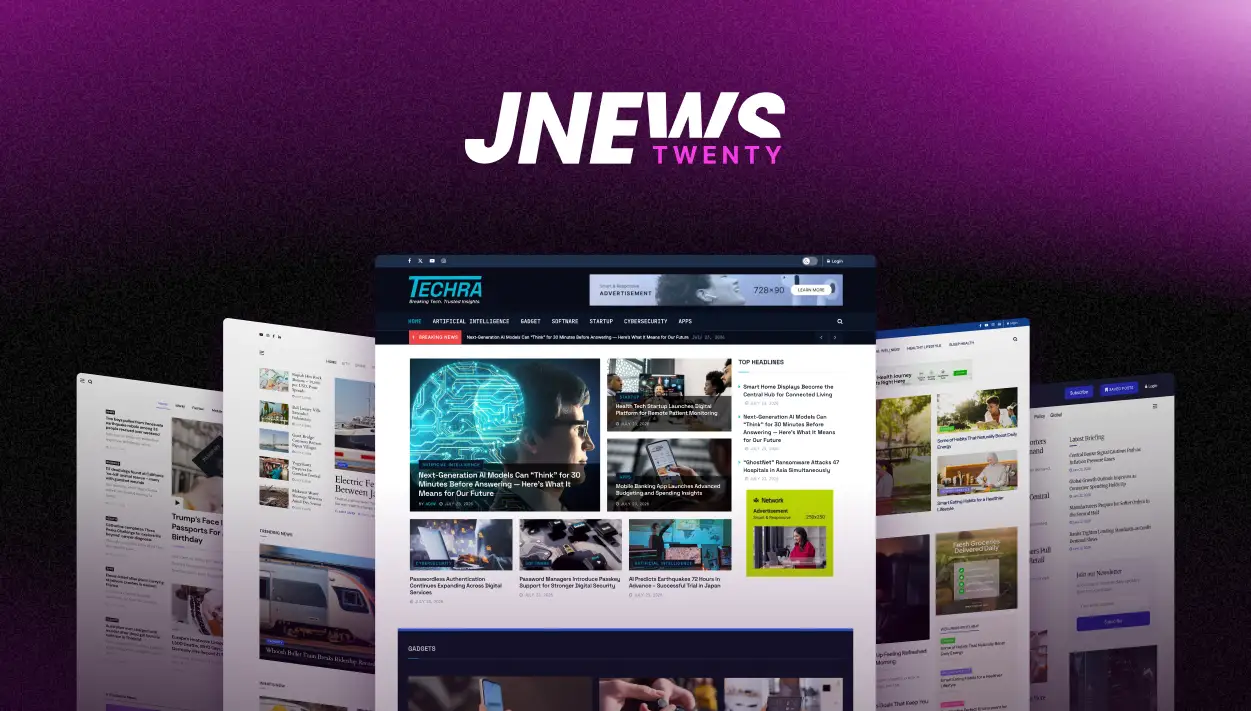
Before choosing a WordPress theme, start with the kind of news website you want to build.
A local news site may focus on community updates, events, politics, and nearby stories. A global publication needs a broader structure for different regions and topics. Tech news may cover AI, gadgets, startups, and software, while economic news may focus on markets, finance, policy, and business.
Your publishing frequency matters too.
If you only publish a few articles each week, a simple layout may be enough. But if you publish several stories a day, you will need clearer categories, featured stories, breaking news areas, and better ways to organize older content.
The goal is to make the website easy to follow.
Readers should be able to see the main stories, check the latest updates, and go straight to the topics they care about.
Once you know how your content will be organized, it becomes much easier to choose a news WordPress theme that fits your website.
02. What Does a News Website Need?
A news website can publish a lot of content in a short time. The challenge is making sure readers can still find what matters to them.
The homepage should give readers a clear idea of what is happening. Important stories need more attention, while the latest news, popular articles, and different topics should still be easy to find.
For example, a technology news website may have separate sections for AI, gadgets, startups, software, and cybersecurity. A local news website may organize stories into politics, business, sports, events, and community news.
This kind of structure helps readers avoid scrolling through unrelated stories just to find something they want to read.
A good news website should make it easy to:
The structure should also work as your website grows.
A simple layout may work when you only have a small number of articles. But once you publish regularly and build a much larger archive, you need a better way to organize and surface your content.
03. How to Choose a News WordPress Theme
The best place to start is with the type of news website you want to build.
A general news site, local publication, tech news website, health publication, and financial news site will not all need the same structure.
For example, a general news website may need several major categories on the homepage. A local publication may focus more on recent community updates. A financial news website may separate markets, companies, economy, investing, and policy.
How often you publish also matters.
If you add stories throughout the day, you need a theme that makes it easy to update sections, highlight important news, and keep categories organized.
You should also check more than just the homepage.
Many readers may arrive directly on an article from Google, social media, newsletters, or other sources. That article page should be easy to read and should also help them find another story afterward.
Choose a theme that works for your current content, but still gives you enough flexibility as your publication grows.
04. Key Features to Look for in a News WordPress Theme
A news WordPress theme should make publishing easier and help readers find their way around your content.
You don’t need every feature available. Focus on the ones that matter for a news website, especially if you plan to publish often and cover several topics.
Clear Categories and Navigation
A news homepage usually has more than one type of content.
You may want to show a major story at the top, followed by breaking news, recent articles, popular stories, editor’s picks, and sections for different categories.
Using the same layout for every article can make the homepage feel flat. It also makes it harder to show which stories deserve more attention.
With flexible layouts, you can give important stories more space while using smaller grids or lists for the rest of your content.
JNews gives you different ways to build these sections through its Design & Customization features, including Post Modules, Hero layouts, sliders, and carousels.
Flexible News Layouts
Categories become more important as you publish more articles.
A general news website, for example, might organize content into:
This gives readers a quicker way to reach the topics they care about instead of searching through one long archive.
Your navigation should make those categories easy to reach too.
For larger websites, a mega menu can help organize more sections without filling the main navigation with too many links.
JNews includes tools such as a Category Builder, Archive Builder, and Mega Menu Builder as part of its broader news website features.
Content Discovery
Readers should have somewhere to go after finishing an article.
That could be another story from the same category, a related article, a popular post, or something recently published.
This matters even more once you have a large archive. Without good content discovery, older stories can become difficult to find as newer articles take their place on the homepage.
JNews includes publishing features such as related content, popular posts, live search, bookmarks, and other tools that can help readers continue exploring your website.
Support for Different Content Formats
Not every news story needs to be a standard article.
You may want to use video for an interview, a gallery for an event, a podcast for a discussion, or a more visual format for certain stories.
Supporting different content types gives you more freedom to choose how each story should be presented.
JNews supports several rich content formats, including videos, galleries, podcasts, reviews, and other types of content alongside regular articles.
Monetization Options
Advertising is one of the most common ways to monetize a news website, but it may not be the only one you need later.
As your audience grows, you may want to add premium articles, subscriptions, sponsored content, paid access, or affiliate links.
It helps to choose a theme that already supports several options, so you don’t need to change your entire setup when your business model changes.
JNews includes several monetization features, including ad placements, paywalls, content subscriptions, pay-per-post access, sponsored posts, affiliate features, and content locking.
Mobile Experience and Performance
News websites can become heavy once you add many article thumbnails, ads, sliders, images, and other elements to the same page.
That makes performance important, especially on mobile.
When checking a theme, don’t
only look at how the homepage appears on desktop. Open the demo on your phone, browse a category, open an article, use the menu, and move between stories.
The website should still feel easy to browse on a smaller screen.
JNews includes mobile-focused layouts and several speed and performance features, including lazy-loaded images, modular JavaScript and CSS, minified assets, and Instant Preload. JNews Twenty also includes JNews Optimizer for handling JavaScript, fonts, images, and CSS optimization.
05. Build a News Website With JNews
Once you know what your publication needs, you can start looking at how JNews fits into that setup.
JNews is made for news, magazine, blog, and other publishing websites. It brings together tools for layout building, content discovery, monetization, performance, and different content formats in one theme.
Organize Different News Sections
A news homepage usually needs more than a single list of recent posts.
With JNews Post Modules, Hero layouts, sliders, and category tools, you can create separate sections for different parts of your publication.
For example:
This makes it easier to give each type of content its own place and helps readers find the stories they want faster.
These layout options are part of JNews’ design and customization features.
Help Readers Find More Stories
Publishing a new article is only one part of keeping readers on your website.
JNews gives you several ways to connect one story to another. You can show related posts, highlight popular content, add infinite scroll, let readers save articles, and use live search.
These publishing features become especially useful as your archive grows and more content moves away from the homepage.
Customize More Than the Homepage
A news website is made up of more than just its homepage.
You also have category pages, archives, article pages, headers, footers, and navigation to consider.
JNews includes builders for these areas, including Header Builder, Footer Builder, Category Builder, Archive Builder, Mega Menu Builder, and Single Post Builder.
It also supports Elementor, WPBakery, and Gutenberg, so you have more control over how different parts of the site are designed.
You can find these tools across the main JNews feature set.
Publish More Than Articles
Your publication does not have to rely on written articles alone.
JNews supports different content formats, including videos, galleries, podcasts, reviews, Web Stories, and regular posts.
A technology publication could combine breaking news with product reviews and video coverage. A local publication could publish articles alongside event galleries or community videos.
This gives you more ways to present a story without creating a separate website for each format.
Add Monetization as Your Publication Grows
Your revenue model may change over time.
You might begin with advertising and later add subscriptions, premium content, sponsored posts, or affiliate links.
JNews includes several monetization options, such as ad placements, paywalls, subscriptions, pay-per-post access, sponsored content, affiliate features, and content locking.
You can start with the options you need now and add more later as your publication grows.
06. Choose a JNews Demo to Get Started
You don’t have to build your news website from an empty page.
JNews provides a large collection of prebuilt demos covering different publishing niches.
Rather than looking at every demo at once, these five examples show how the same news WordPress theme can work for very different types of publications.
Tech News
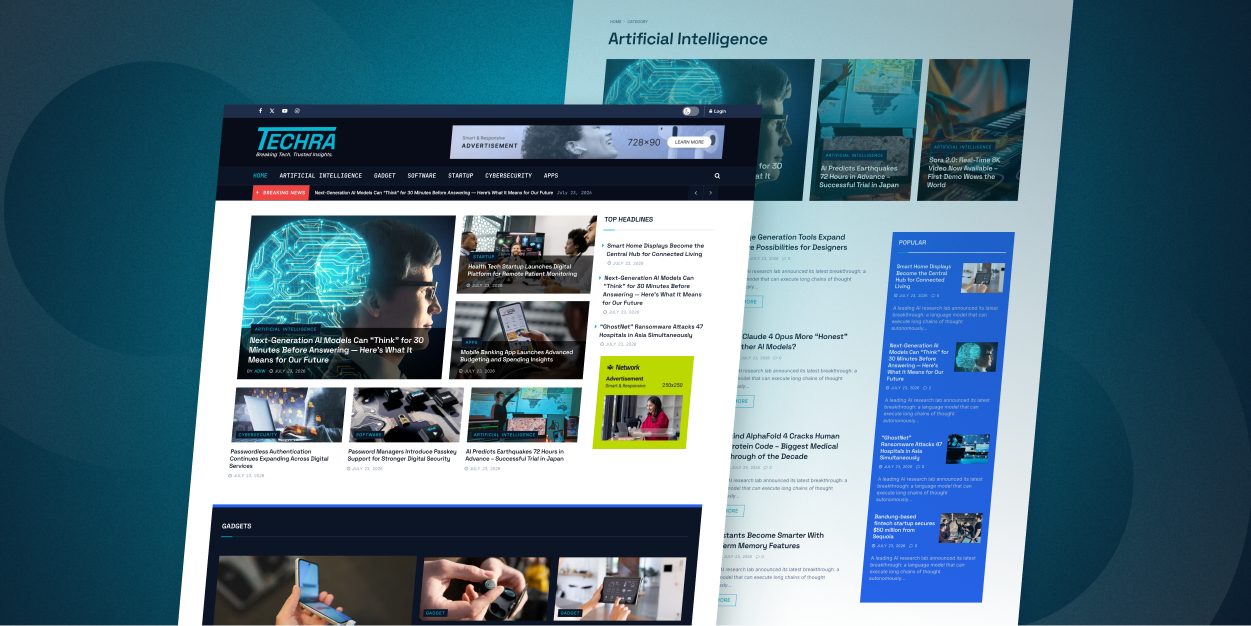
Tech News is designed for publications covering technology, AI, gadgets, software, startups, cybersecurity, and digital innovation.
Its structure puts major headlines and recent developments at the center, making it a useful starting point for fast-moving technology publications.
Health News
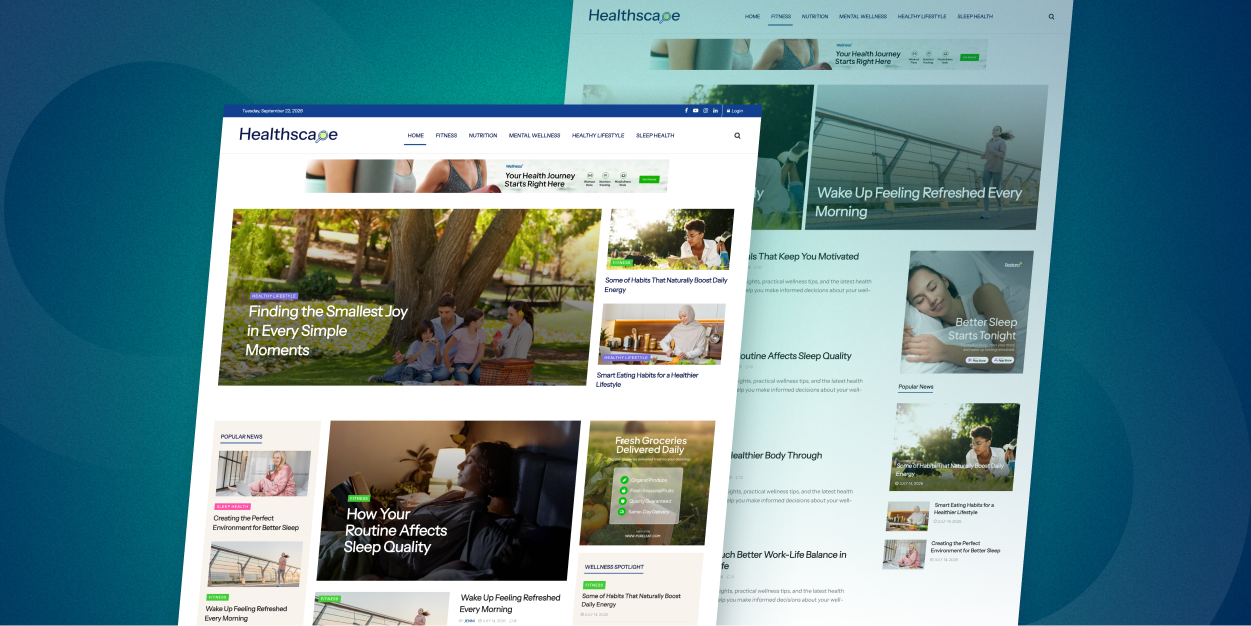
Health News gives health and wellness publishers a starting point for covering medical updates, wellness, nutrition, fitness, public health, and related topics.
It works well for publications that need to organize several health-related categories while still keeping important and recent stories easy to find.
Local News
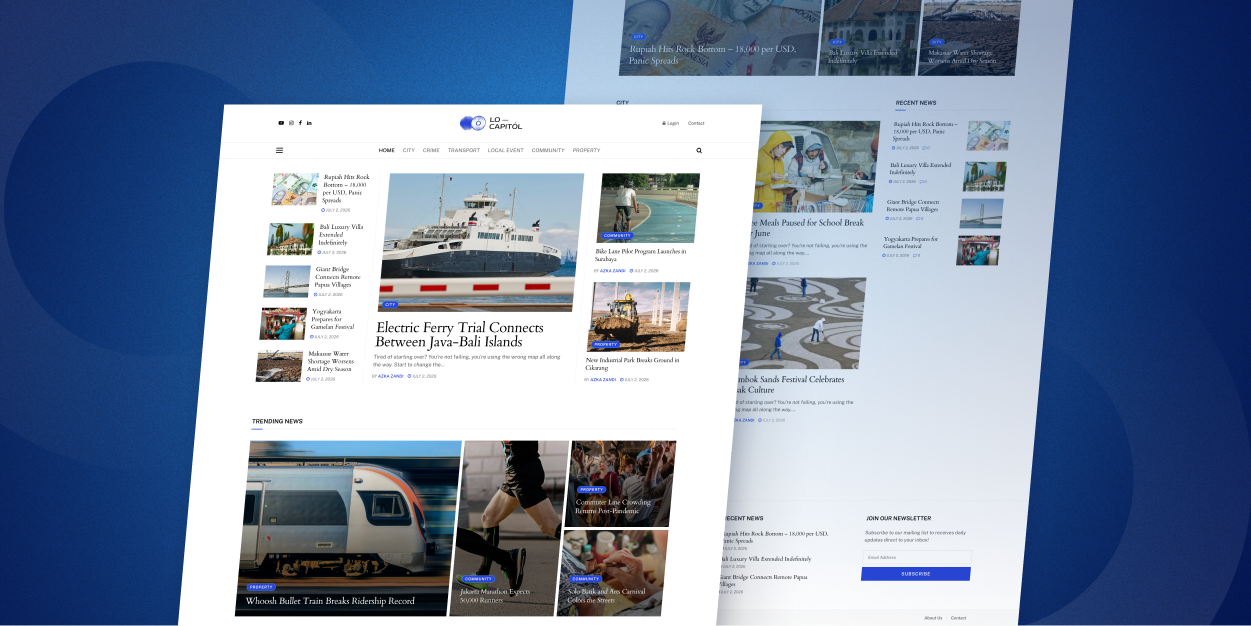
Local News is built around a more focused news audience.
It can be used as a starting point for city, regional, community, or other location-based publications where readers frequently return for updates about what is happening around them.
Global News
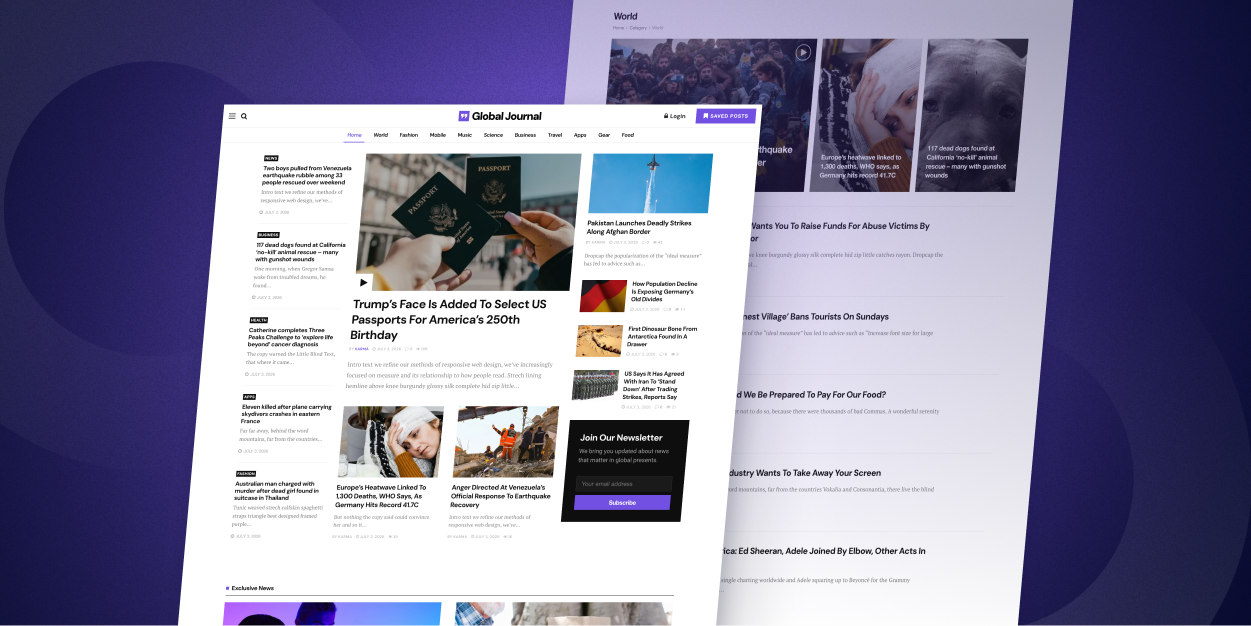
Global News is a useful example for publications covering stories across multiple countries, regions, and topics.
A structure like this can help separate major world stories from individual categories and regional coverage while still giving readers a clear overview of the latest updates.
Economic News
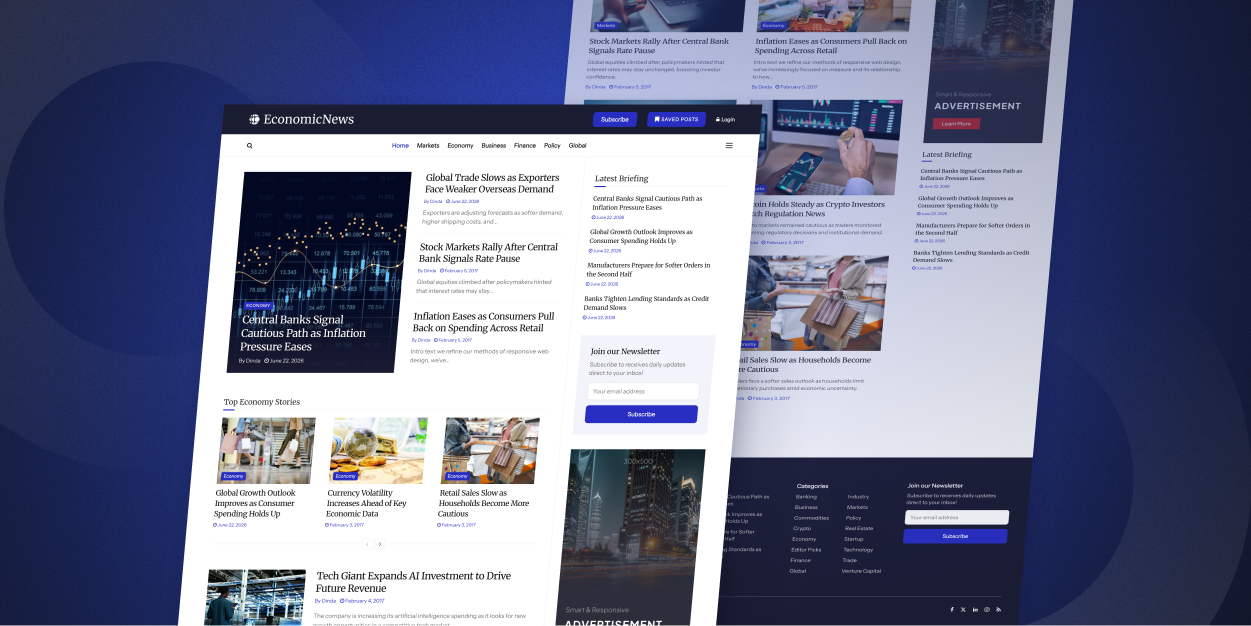
Economic News shows another direction for a more specialized publication.
It can serve as a starting point for websites covering the economy, finance, markets, companies, policy, trade, investing, and other business-related topics.
This type of publication benefits from clear content sections because readers may follow very different areas of economic coverage.
These are only a few examples of the layouts available with JNews.
07. FAQ
What is a news WordPress theme?
A news WordPress theme is a WordPress theme designed for websites that publish news and editorial content regularly. It usually provides layouts and tools for organizing articles, categories, featured stories, popular posts, archives, and other parts of a publishing website.
What should I look for in a news WordPress theme?
Look for a theme that makes it easy to organize large amounts of content, create clear categories, highlight important stories, help readers discover more articles, work well on mobile, and support monetization as your publication grows. The right features will depend on the type of news website you want to build.
Can I build a professional news website with WordPress?
Can I publish video and other content on a news website?
Yes. A news website doesn’t have to rely on standard articles only. JNews supports articles together with videos, galleries, podcasts, reviews, Web Stories, and other content formats, so you can choose the format that works best for each story.
Can I monetize a news website with JNews?
Which JNews demo should I choose for my news website?
Choose the demo that is closest to the type of publication you want to build. You can use Tech News for technology coverage, Health News for health and wellness, Local News for regional publishing, Global News for international coverage, or Economic News for economic and financial topics, then browse the full JNews demo collection for more options.
08. Conclusion
A good news WordPress theme should do more than make a website look like an online newspaper.
It should help you manage a growing number of stories and make that content easier for readers to explore.
As your publication grows, you may need clearer category structures, more homepage sections, better content discovery, faster mobile performance, and additional ways to monetize your audience.
That is why it helps to choose a theme based on how your publication will actually work, not only on how one demo homepage looks.
JNews combines publishing tools, flexible layouts, category and archive builders, reader-engagement features, monetization options, multiple content formats, SEO features, and performance tools in one news-focused WordPress theme.
You can start with one of the ready-made news demos, replace the sample content with your own stories, adjust the categories, and customize the website around your publication.