


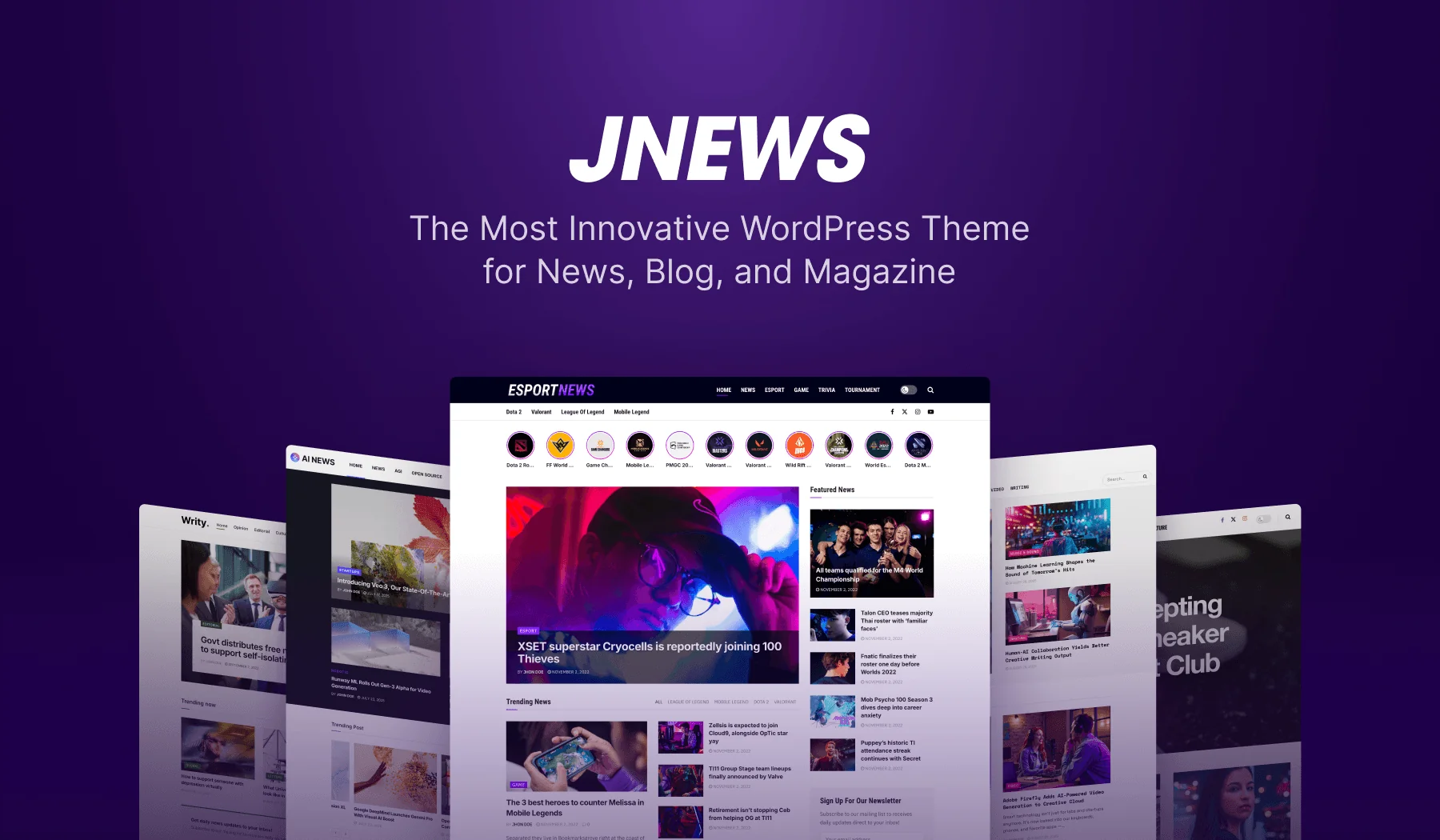
What Is JNews? A Complete WordPress Publishing Theme Overview
If you are planning to build a content-heavy WordPress website, you may have come across JNews at some point. The theme is often used for online magazines, news portals, blogs, review sites, video sites, and podcast publications.
Content-heavy websites usually need more than a basic blog layout. They may contain many posts, categories, featured stories, ads, reviews, videos, and member-only articles. Without a clear structure, all this content can become difficult to manage.
In this post, we will explain what JNews is and which websites can use it. We will also cover its main features and how it can support a WordPress publishing website.
What Is JNews?
JNews is a premium WordPress theme built for publishing websites. It is made for website owners who publish content regularly. It also gives them more control over their posts, pages, categories, and content sections.
This theme offers more than one basic blog layout. It gives you a complete system for building and managing a publishing website.
You can create homepage sections, category layouts, and featured article areas. The theme also lets you show trending posts, display ads, add reviews, and restrict paid content.
JNews helps your website work more like an online publication. It can support newspapers, magazines, niche blogs, review sites, affiliate projects, and membership websites.
In simple terms, JNews helps you manage a large amount of content. At the same time, you still control how it appears to readers.
What kind of websites is JNews made for?
JNews is mainly built for websites that publish content regularly. It helps website owners present large amounts of content in a clear structure.
The theme is not limited to news websites. You can use it for many editorial and content-based projects.
JNews is commonly used for:
- News websites
- Online magazines
- Personal and multi-author blogs
- Editorial websites
- Review and affiliate sites
- Video-based websites
- Podcast websites
- Membership or paywalled content websites
A simple list of blog posts may not be enough for these websites. Each type of publication often needs a different structure.
For example, a news site may need breaking news and featured stories. It may also need trending sections and category pages.
Review sites usually need different tools. These may include ratings, affiliate links, comparisons, and product layouts.
Membership websites have another goal. They need to separate free articles from paid content.
The theme supports many content niches. It includes more than 72 website templates and over 150 homepage designs.
These templates can help you start faster. You don’t need to create every part of your website from scratch.
These templates can reduce your setup time. You don’t need to build every page from scratch.
Choose a demo that matches your topic. After importing it, replace the sample content with your own.
You can also change its colors, sections, layouts, and features.
Key features of JNews
JNews comes with many features, but the easiest way to understand them is to look at what they help you do. In general, JNews helps you design a publishing website, organize large amounts of content, earn from that content, and improve the reading experience.
1. Build Different Publishing Layouts
JNews gives you more layout control than a basic WordPress theme. Instead of using the same layout for every part of your website, you can create different designs for different areas.
For example, you can design a homepage that highlights breaking news, featured stories, popular posts, and category sections. You can also create different layouts for archive pages, category pages, single posts, headers, footers, and mega menus.
This theme includes tools such as Header Builder, Footer Builder, Homepage Builder, Archive Builder, Single Post Layout Builder, Mega Menu Builder, and Shortcode Generator.
2. Start Faster With Prebuilt Demos
Building a news or magazine website from scratch can take a lot of time. You need to plan the homepage, category pages, article layouts, ad areas, menus, and other sections before the site feels ready.
JNews helps reduce that setup time with prebuilt demos and one-click import. You can choose a demo that fits your niche, import it, and then replace the sample content with your own.
This is useful for freelancers, agencies, solo publishers, or website owners who want a faster starting point instead of designing every section from zero.
3. Add Monetization to Your Website
JNews is also built for websites that want to earn from content. This is important because many publishing websites do not only need a good layout. They also need space for ads, sponsored content, affiliate content, subscriptions, or paid access.
JNews includes support for Google Ads, AdSense, responsive ad placement, WooCommerce, paywall access, paid subscriptions, pay-per-post content, sponsored posts, paid post submission, review content, and affiliate-style content.
In simple terms, this theme doesn’t only help you publish articles. It also gives you tools to support the business side of a publishing website.
4. Restrict Content With Paywall Features
If you want to offer premium content, JNews includes paywall and membership features. This means you can control which content stays free and which content requires payment or subscription access.
For example, you can show part of an article as a preview, then ask readers to subscribe or pay before they can read the full content. You can also sell access through subscriptions or pay-per-post options.
JNews also mentions payment support through PayPal and Stripe, which makes it more useful for publishers who want to test reader revenue instead of relying only on ads.
5. Publish More Than Text Articles
JNews is not only for written articles. You can also use it for video and podcast-based websites.
For podcast websites, JNews includes features such as a custom podcast system, single podcast pages, single episode pages, a built-in audio player, and import options from RSS feeds or podcast platforms.
For video websites, JNews includes video playlists, frontend video upload support, single video layouts, thumbnail video previews, and video-focused publishing layouts.
This makes JNews useful for publishers who create different types of content, not only blog posts or news articles.
6. Improve the Reading Experience
A publishing website needs to keep readers engaged. JNews includes several features that help readers explore more content and interact with the website more easily.
These features include infinite scroll, autoload next post, reading progress bar, inline related posts, user bookmarks, like and dislike buttons, social share counters, push notifications, multiple author support, split post pagination, custom gallery support, Web Stories, and food recipe support.
These features may look small, but they can help make a content-heavy website feel more active, organized, and easier to browse.
7. Support SEO and Website Performance
Publishing websites often depend on search traffic, so performance and SEO are important. A website with many articles still needs to load properly, work well on mobile, and give search engines clear information about its content.
JNews includes features related to Core Web Vitals, Google AMP, Facebook Instant Articles, JSON-LD structured data, lazy-loaded images, SEO-focused markup, and mobile-friendly layouts.
These features can help your website stay more readable, structured, and search-friendly as you publish more content.
8. AI supported
JNews also includes AI-related features through JNews+ AI News. These features help publishers handle some content tasks faster.
For example, you can use AI features to summarize articles, generate article content with JegAI Assistant, improve SEO, and add FAQ schema to your posts.
This can help you save time when creating or improving content. It can also be useful if you want to make long articles easier to understand, prepare content for search engines, or support newer AI-driven search experiences.
Who can use JNews theme?
You can use JNews if you want to build a WordPress website that publishes content regularly. It works best for websites with many posts, categories, authors, ads, or different content types.
JNews can be a good fit for:
- Publishers who want to build a news or magazine website with featured posts, category sections, trending stories, and ad placements.
- Bloggers who write about many topics and want more layout options than a basic blog feed.
- Content website owners who want to earn from ads, sponsored posts, affiliate content, subscriptions, or paid access.
- Video or podcast publishers who want to present episodes, playlists, and media content in a more organized way.
- Agencies that build media-style WordPress websites for clients and want to start faster with ready-made demos.
JNews may feel too much if you only need a simple personal blog. But if your website will publish a lot of content, those extra features can help you organize your posts, present them clearly, and grow your website more seriously.
FAQ
JNews can be used for news sites, magazines, blogs, review sites, and affiliate websites.
Yes. The theme also supports magazines, blogs, review sites, videos, podcasts, and paid-content websites.
Yes. You can use JNews with Elementor, WPBakery, and the WordPress block editor, so you can choose the editing workflow that fits your website setup.
Yes. Monetization options include ads, sponsored posts, affiliate content, subscriptions, paywalls, and pay-per-post content.
No. JNews is a premium WordPress theme, so you need to purchase it before using it on your website. It is listed on ThemeForest for $59, but the price may change over time.
Final thoughts
You can use JNews to build a WordPress website that works more like an online publication than a basic blog.
JNews gives you tools to organize many posts, create homepage sections, highlight important articles, add ads, publish review content, offer paid access, and manage video or podcast content.
This makes it useful for news websites, online magazines, niche blogs, review sites, affiliate websites, video websites, podcast websites, and membership-based content websites.
Before you choose the theme, think about the type of website you want to build. If you plan to publish often, manage different content sections, monetize your content, or add multimedia features, JNews can give you a strong starting point.
Get JNews today and start building a WordPress publishing website with more control over your content, layout, and growth!