
Crypto News WordPress Block Theme: The Nonce
Bitcoin, Ethereum, Blockchain & Crypto Regulation
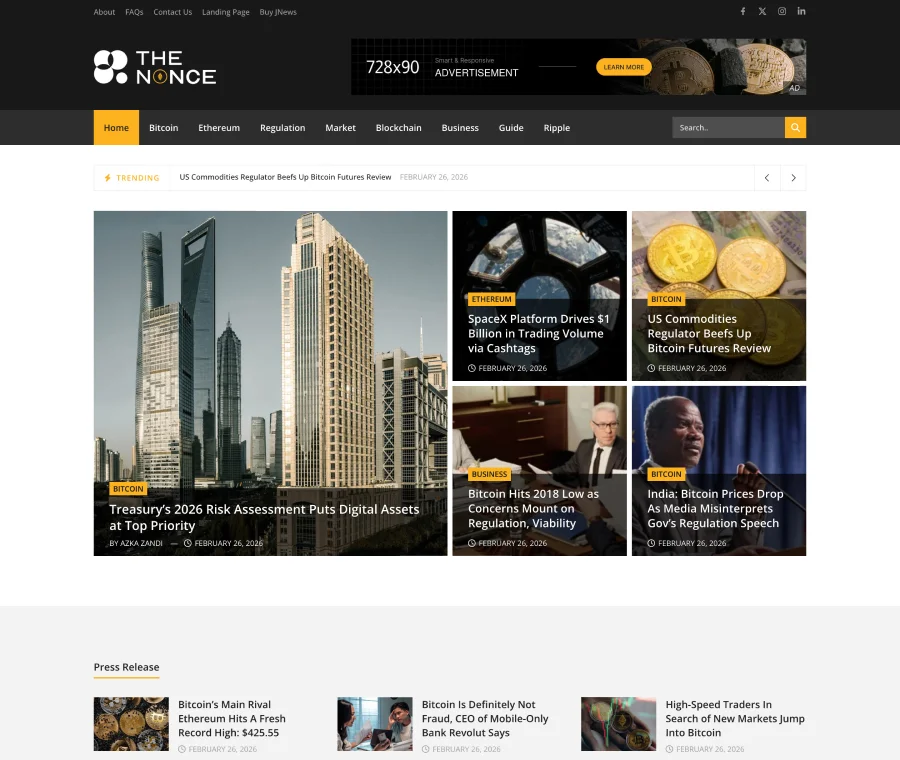
Introducing Crypto News
The Nonce is a crypto news WordPress block theme built with Gutenverse for crypto publications covering blockchain developments and policy reporting. Its sample publication focuses on Bitcoin, Ethereum, blockchain, regulation and digital-asset markets. The homepage brings together a Trending ticker, Press Release coverage, Editors Choice and Bitcoin News collections, giving readers several ways to discover a story.
Use this JNews Block demo as a starting point for your own publication. Review clear separation of reporting and press releases and organised navigation by asset or policy topic in the live preview, then replace the sample articles, images and navigation with material from your own editorial plan. The demo content illustrates the layout; it is not content for republication.
Who this template is for
The Nonce suits crypto publications covering blockchain developments and policy reporting. It is particularly useful when your editorial plan covers Bitcoin, Ethereum, blockchain, regulation and digital-asset markets. Organise your categories around the subjects you publish regularly rather than keeping every sample section.
Homepage and article layouts
The homepage combines a Trending ticker, Press Release coverage, Editors Choice and Bitcoin News collections. Its topic structure is designed around Bitcoin, Ethereum, blockchain, regulation and digital-asset markets.
Open an article from the live demo to assess clear separation of reporting and press releases and organised navigation by asset or policy topic. Saved demo features include Ads, View Counter, News Ticker, Popular Post, Tab Posts, Prev Next Post. Check the relevant settings and required plugins before enabling those features on your own site.
Things to Know
 Things to Know
A quick overview of the demo content, requirements, customization options, and other details to help you get the most from your setup.
Demo Import Content and Options


Find The Nonce in the demo library available with your JNews Block installation and review the import selections before starting. Import only the content and settings you need for crypto news publishing.
Replace sample posts, menus, images and author details with your own. Configure newsletter forms, account features and advertising areas with your own services where you choose to use them.
Installation Requirements
Use a WordPress installation that meets the current requirements of your licensed JNews Block package and Gutenverse. Install and activate the theme and the plugins requested by the selected demo before importing The Nonce.
Back up an existing site and test the import in a staging environment. Confirm the supported WordPress and PHP versions in the current product documentation; saved demo performance scores do not guarantee the same result on another server.
Customisation Options
Edit The Nonce’s block layouts with Gutenverse and the WordPress editor tools provided by your installation. Adjust the logo, colours, typography and navigation to match your publication.
For this demo, prioritise clear separation of reporting and press releases and organised navigation by asset or policy topic. Rework the homepage collections around Bitcoin, Ethereum, blockchain, regulation and digital-asset markets and check headline wrapping, images and menus on desktop and mobile after making changes.
Choosing This Demo or an Alternative
Choose The Nonce when Bitcoin, Ethereum, blockchain, regulation and digital-asset markets and a Trending ticker, Press Release coverage, Editors Choice and Bitcoin News collections match your publishing plan. Compare Ticker Track in the catalogue if you want a different editorial emphasis or story-discovery pattern.
The Nonce uses Gutenverse blocks. An Elementor-based JNews demo uses a different editing workflow, so choose the builder your team intends to maintain as well as the visual layout.
Performance Built For Speed
These saved demo performance scores are reference results, not a guarantee for your website. Hosting, plugins, images and content can change performance.
Desktop
Optimized desktop performance
Mobile
Optimized mobile performance
Key Features
- Ads
- View Counter
- News Ticker
- Popular Post
- Tab Posts
- Prev Next Post

Global Features
- Built-in SEOStructured data and social metadata give your publication a search-friendly foundation.
- Responsive LayoutsPresent your content clearly across desktop, tablet and mobile.
- Flexible CustomisationAdjust typography, colours and layouts to match your publication’s identity.
- Demo ImportStart with a prebuilt design, then replace the sample content with your own.
- Advertising OptionsManage ad placements for banners, AdSense and sponsored campaigns.
- Reader EngagementHelp readers discover more stories through related articles, popular posts and sharing tools.
- Rich Content FormatsPublish articles, videos and galleries to suit your editorial content.
- Translation & RTL SupportAdapt your publication for different languages and reading directions.
How To Use This Template
This template is available with JNews Block. Activate your JNews license to import Crypto News and customise it for your website.
- Get a JNews license that includes access to this demo.
- Download JNews Block, install it through Appearance → Themes → Add New → Upload Theme and activate the theme.
- Activate your license in the JNews dashboard, then open Import Demo & Style.
- Browse the demo library or use the search to find Crypto News, then select it.
- Install the required plugins for the selected demo.
- Choose the demo content and settings you want to include, then start the import.
- Wait for the import to finish before closing the window. Replace the sample content and customise your logo, colours and layout.
Related Prebuilt Demos
Explore more demos with a similar publishing style.

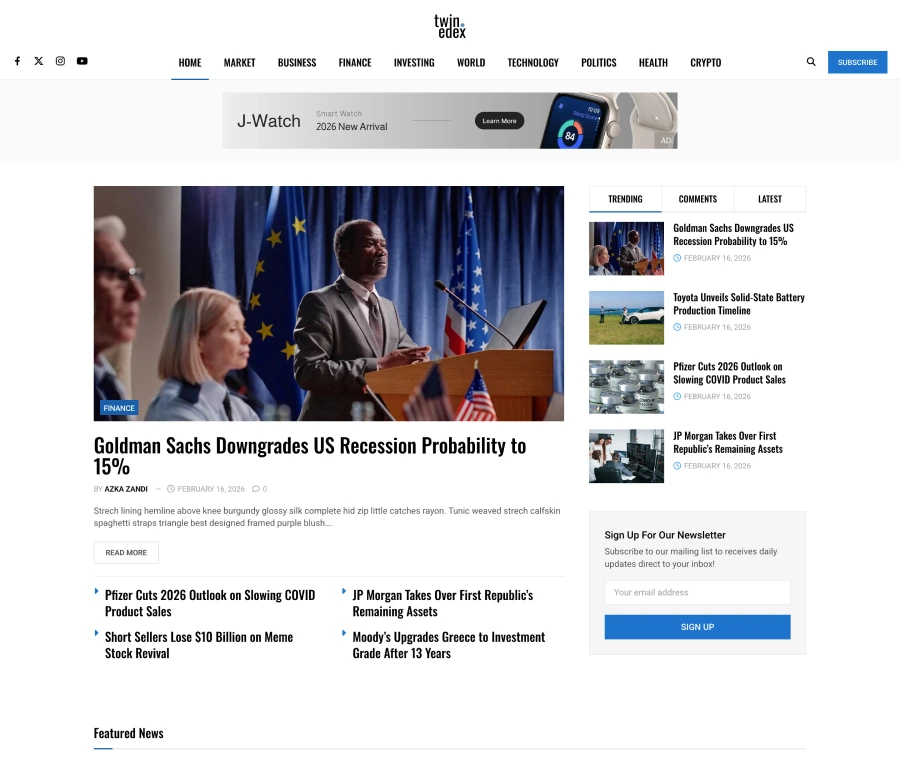
Financial News
NewTwinedex is a financial news WordPress block theme for financial publishers and business editors producing market explainers and company coverage. Explore a finance-led opening story, Trending/Comments/Latest tabs, Featured News and a newsletter panel, built with Gutenverse for financial markets, investing, company news and the economy.
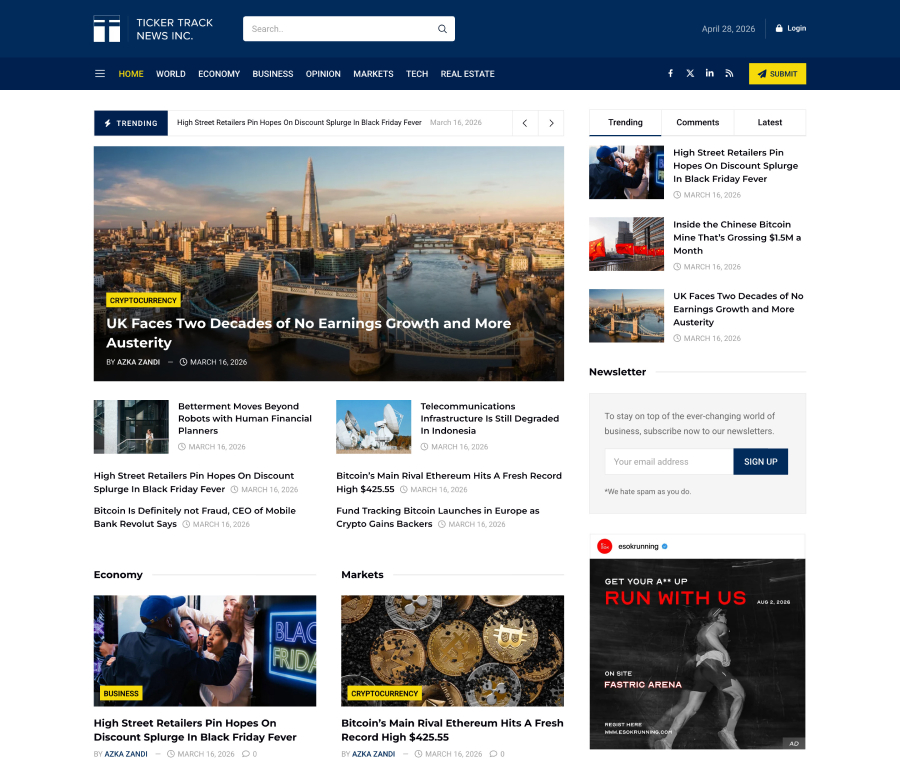
Ticker Track is a business & markets WordPress block theme for business newsrooms publishing economic developments and market commentary. Explore a Trending ticker, Economy and Markets collections, an Opinion section and Popular News, built with Gutenverse for the economy, business, markets, opinion and real estate.

Economic News
NewA financial news WordPress template for economy editors and financial news publishers. Features a lead feature on the left, a central headline list and a Latest Briefing column on the right.